Download the Neway ESX App: Store Links, Requirements & Troubleshooting
Neway is the trading app of the Ethiopian Securities Exchange (ESX), and it is free on both Google Play and the Apple App Store. This page gives you the official download links, tells you how to confirm you have the genuine app, lists what your phone needs, and covers the errors users have actually reported since launch, with things to try for each.
Neway at a glance
- Store name: Neway on Google Play, Neway ESX on the App Store
- Listed publisher: Infotech Private Limited (ESX’s technology partner) on Google Play. Ethiopian Securities Exchange Share Company on the App Store.
- Price: Free on both
- Minimum system: iOS / iPadOS 12.1 or later. On Android, the Play Store page shows whether your phone is supported.
- Download size: About 51 MB on iPhone. Android size is shown on the Play Store before you install.
- Latest update seen: June 29, 2026 (iOS version 1.0.6)
- Store ratings (October 2026): Google Play 3.3 from 203 reviews with 50K+ downloads. App Store 1.7 from 33 ratings.
- Language: English
Ratings and versions change, so check the store page for current numbers. The Android package ID is com.infotech.esx.marlin. The word “marlin” is a leftover from the app’s earlier testing name, so don’t treat it as a sign of a fake.
How to tell you have the real Neway app
Because Neway handles your ID, your money and your broker account, install it only from the two official stores. Before you tap Install, check these:
- Use the store links on this page or on esx.et. The exchange’s launch announcement is the official source for the download.
- Check the publisher. On Google Play the developer shows as Infotech Private Limited, the company ESX built Neway with. On the App Store the seller is the Ethiopian Securities Exchange Share Company.
- Never install an APK sent over Telegram, WhatsApp or a website. Files shared outside the stores can be modified, and a fake trading app can capture your login and ID.
- Never share your PIN or one-time codes with anyone, including people claiming to be support or a broker.
Heads-up: Capital251 is an independent publication. We are not ESX, Infotech, a broker, or the Ethiopian Capital Market Authority, and nobody on this page can open an account or trade for you.
How to install Neway
On Android
- Open Google Play and search for Neway, or tap the Android button above.
- Confirm the publisher is Infotech Private Limited.
- Tap Install and wait for it to finish, then tap Open.
- Allow the permissions the app asks for, and sign in or choose to create a new investor account.
On iPhone or iPad
- Open the App Store and search for Neway ESX, or tap the iOS button above.
- Confirm the seller is the Ethiopian Securities Exchange Share Company.
- Tap Get and authenticate with Face ID, Touch ID or your Apple ID password.
- Open the app and continue to registration.
The iOS listing also covers iPad and, on newer Macs with an Apple M1 chip or later, the Mac.
After you install: what comes next
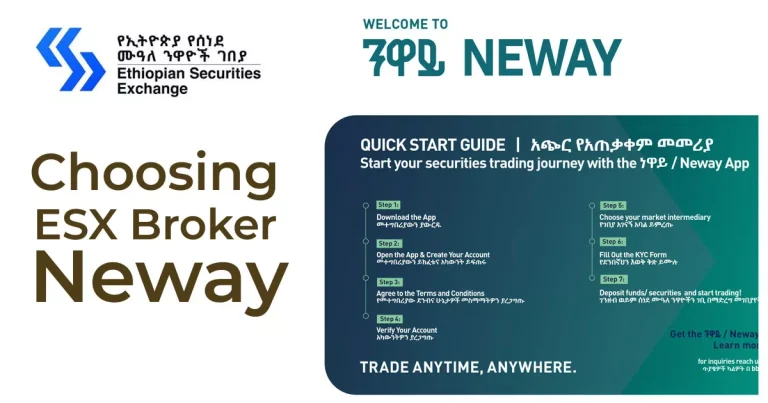
Downloading is only the first step. To trade real money you need to register as an investor, pass identity verification, and link your account to one of ESX’s licensed trading members (brokers). Our step-by-step walkthrough covers all of that: How to Trade on ESX Using the Neway App: Complete 2026 Guide.
What the app offers
Based on the official store descriptions, Neway combines the following:
- Self-onboarding: Register as an investor from your phone instead of visiting a broker’s office first.
- Actual trading: Place buy and sell orders on securities listed on ESX.
- Simulated trading: Practice buying and selling on real market data without risking money. This is the best way to learn the order screens before you fund an account.
- Charts: Price charts with historical data, fed from ESX market data.
- Watchlists: Save the instruments you follow so you can check them quickly.
- Portfolio view: See your holdings, and use the same account across devices.
The store listings mention equities, bonds and ETFs. At launch, ESX and the press described trading in equities and fixed-income instruments, so what you can actually buy depends on what is listed on the exchange at the time.
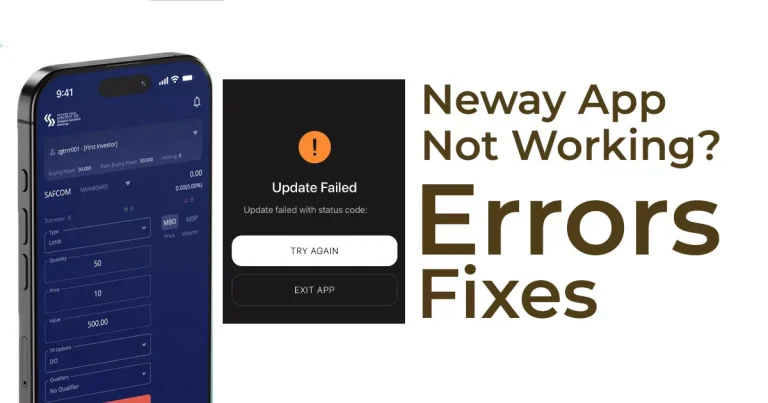
Common problems and what to try
Neway is a new platform and its store ratings show it. We read the recent reviews on both stores so you know what to expect. These are user reports, not confirmed faults, and some continued after the June 29 update.
Android: “Debug mode detected” warning and the app won’t open.
Open Settings > Developer options and switch Developer options off completely (not only USB debugging), restart the phone, then reopen Neway. If it still blocks you, contact support (below).
iPhone: message saying the device is jailbroken when it isn’t.
Update iOS and Neway to the latest versions, restart, and try again. If it persists, send support your iPhone model and iOS version.
“Select your broker” screen is blank.
Check your connection, switch between Wi-Fi and mobile data, force-close the app, clear its cache (Android: Settings > Apps > Neway > Storage > Clear cache), then reopen.
Registration fails, gets stuck or shows a connection error.
Update the app, turn off any VPN, retry on a stable connection, and try again later if the exchange is busy. Avoid creating several accounts with the same details. Ask your chosen broker to check your application status.
Registration won’t complete from outside Ethiopia.
Neway is built for investors based in Ethiopia, and at least one reviewer abroad could not finish signing up. Ask a broker whether registration is possible from your location.
Wrong chart shown, repeated log-ins, or trouble cancelling an order.
Treat what you see as unconfirmed until you verify it. Check your order status and holdings with your broker before placing another order.
Where to get help: Both store listings ask users to email support instead of posting problems in reviews. The Google Play page lists infotechgroup.pk@gmail.com as the support contact. Since your broker can see your account status on their side, contacting them first is usually faster for anything involving your account or an order.
Privacy and security
- Both store listings say the developer does not collect data through the app. Apple notes that this is the developer’s own declaration and has not been verified. Because registration involves your ID and bank details, read the app’s privacy policy before you sign up.
- Lock your phone with a PIN or biometrics, since the app holds your investing account.
- Avoid public Wi-Fi when you log in or place orders.
- Keep the app updated. Updates are where bug and security fixes arrive.
Background: who is behind Neway?
ESX announced Neway on March 5, 2026 as its first web and mobile trading platform. The name is Amharic for wealth or assets. ESX is Ethiopia’s first organized securities exchange, established under the Capital Market Proclamation No. 1248/2021 and licensed by the Ethiopian Capital Market Authority. Neway was developed with Infotech Private Limited and is connected to the Broker Back Office and Order Management System that ESX provides to its trading members, which is how client onboarding, orders and reporting reach brokers. Read the exchange’s own launch announcement for the official wording.
Frequently asked questions
Is the Neway app free?
Yes. Downloading is free on both stores. Trading brings costs such as brokerage fees, which your trading member sets.
Is Neway available on both Android and iPhone?
Yes. It is on Google Play and the App Store, and the iOS version also runs on iPad.
Why is the publisher different on Google Play and the App Store?
Google Play lists Infotech Private Limited, the technology partner that built the app with ESX. The App Store lists ESX’s company name as the seller. Both are linked to the official launch.
Can I try Neway without risking money?
Yes. The app has a simulated trading mode that uses real market data, so you can practice before funding an account.
Do I need a broker to use Neway?
To place real trades, yes. ESX trades through licensed trading members, and your account is linked to the broker you select. See our registration and trading guide for the steps.
Why won’t the app open or let me register?
The most-reported causes are a “debug mode” or “jailbroken” security warning, a blank broker list, and connection or registration errors. See the troubleshooting section above for what to try.
Can I use Neway from outside Ethiopia?
It is designed for investors in Ethiopia. A reviewer abroad reported that account creation would not complete, so confirm with a broker before relying on it from another country.
Is there a web version?
ESX launched Neway as both a web and a mobile platform. Check esx.et for the current web access details.
Before you invest
Investing in securities carries risk, including the loss of the money you put in. Prices can fall as well as rise, and a young market can be thinly traded. This page is general information about downloading and installing an app, not investment, legal or tax advice. If you are unsure, speak to a licensed trading member.
Found something out of date, or hit an error we haven’t listed? Tell us in the comments or through our contact page, and we will update this guide.